

The Valentine Collection event starts today, and if you manage to complete your collection by the end of the month, you’ll win the grand prize!
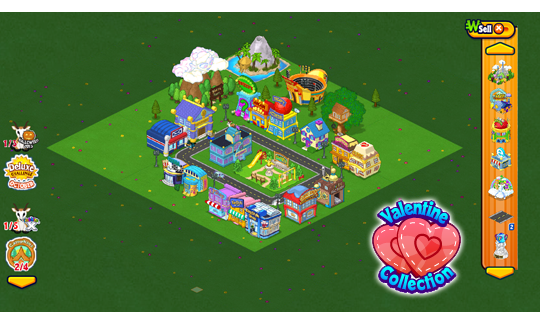
Here’s how to play: Look for the Valentine Collection icon on your Kinzville Map on the Webkinz Classic Desktop App and click on it to see your collection. You’ll see the icon on the right side of your screen on the browser version of Webkinz Classic.
Every day, you’ll get 1 free Valentine by clicking on the collection icon (Deluxe Members will get 2 a day).
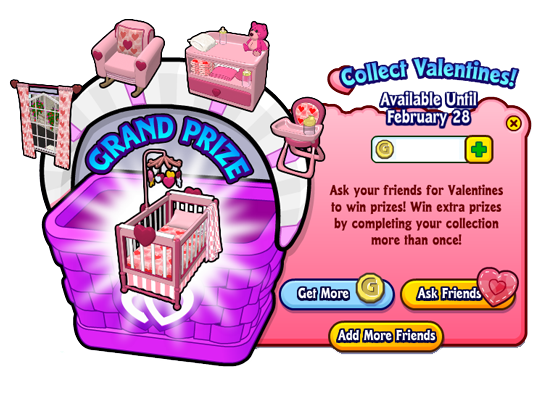
Once you have received your free Valentine, you can get 5 more throughout the day by asking your friends (by clicking the ASK FRIENDS button) or by finding and clicking on the floating Valentine on WebkinzNewz.com (make sure you collect your free one first before trying to find one on Webkinz Newz).
Here’s a closer look at each prize and how many Valentines you’ll need to get them:
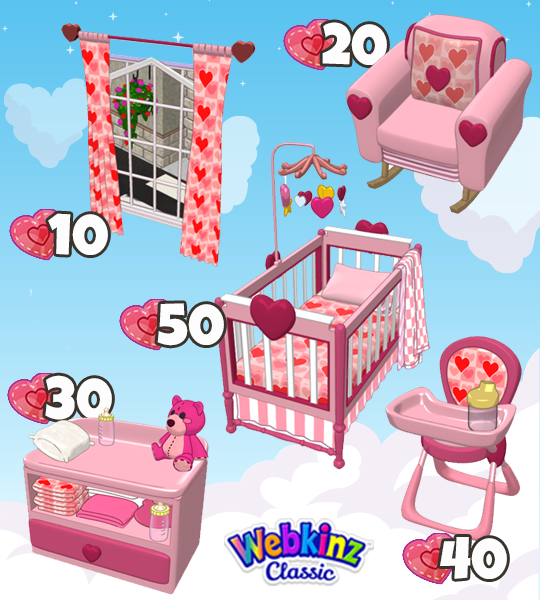
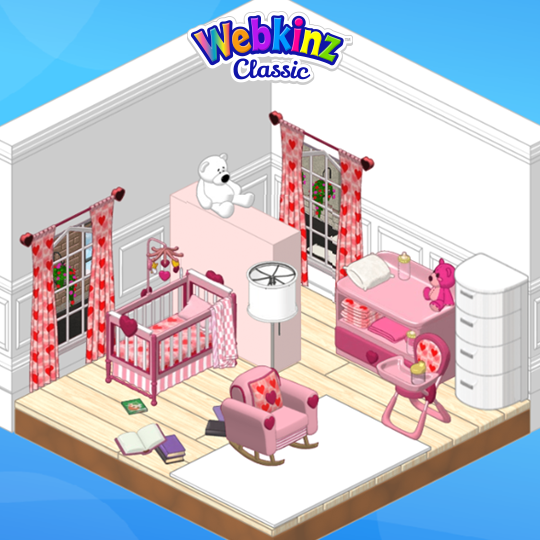
The best thing about our collection events is that you can complete them more than once! So, if you play every day, you’ll have the chance to collect multiple prizes that you can use to build a lovely nursery for your pets!
Watch Podkinz to learn more about this year’s Valentine Collection event!
How many Valentines have you collected so far? Let us know in the comment section below…
CLICK HERE to download the Webkinz Classic Desktop App or play the browser version of Webkinz Classic today!
Follow us on social media:








The crib is cute, but when I put the pet in it to sleep it doesn’t fill the heart like a bed. So I’ll have a room that they can’t sleep in? Hope this is a temporary glitch. (Playing in windows browser)
I mean playing in windows app.
Please fix the browser version ASAP. The browser version does allow only ONE TIME. The browser program does NOT allow a reset to get a second set of prizes. This is not fair! Sally, can you please find out if and when it will be fixed?