

Day at the Museum is our 46th Season! Here are some more details, tips and tricks for the day 3 tasks. Click here for the week 2 tasks.
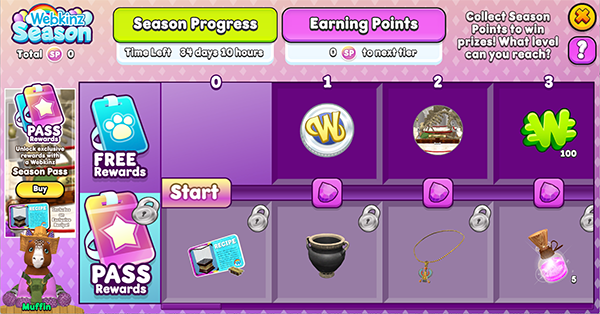
Week 3
- Time for lunch! Eat 20 lunch foods. (Search your dock for “lunch”)
- Craft any recipe on the Gem Crafting Table
- Get ready for school! Spend 100 Ribbons at the Spirit Shop
- Get 12000 on Dogbeard’s Gold 5 times
- Spin the Wheel of WOW in the Arcade 5 times
- School photo time! Take a picture of your pet at the Photo Booth with an emoji sticker.
- Show School Pride! Dress your pet in something from the Spirit Shop!
- Craft any recipe on the Sewing Machine
- Redecorate! Move 20 items in your house.
- Fill 3 Care Hearts
Time for lunch! Eat 20 lunch foods. (Search your dock for “lunch”)
Feed your pet or pets any food item that is tagged with “lunch” — you can search both the W Shop and your dock for “lunch” and find all the foods that will satisfy this task. It does not have to be fed to the same pet or on the same day.
Craft any recipe on the Gem Crafting Table
Tap on the crafting table in the Curio Shop to see your available recipes. The Bejeweled Mirror recipe will not appear properly if you don’t already have Glass in your dock, so if you want to make that, make sure you get Glass from a Material Pick Pack or Box.
Get ready for school! Spend 100 Ribbons at the Spirit Shop
Visit the Spirit Shop and spend 100 Ribbons on any item, or combination of items that add up to at least 100 Ribbons.
Get 12000 on Dogbeard’s Gold 5 times
It’s the Game of the Day, so today is a great day to complete this task. Visit the Arcade, tap on any Arcade unit and select Dogbeard’s Gold from the list. Earn at least 12,000 points on a game five times to complete this task. The first time you reach 10,000 points, you’ll receive a Bronze medal.
Spin the Wheel of WOW in the Arcade 5 times
Visit the Arcade, tap on any Arcade unit and select the Wheel of WOW. Spin it every day for five days to complete this task. They do not need to be consecutive days.
School photo time! Take a picture of your pet at the Photo Booth with an emoji sticker.
Tap on the Photo Booth in Kinzville. Drag an emoji from the sticker tab on to your pet’s portrait, and then make sure you save the photo to complete the task.
Show School Pride! Dress your pet in something from the Spirit Shop!
Search your dock for “SpiritShop” to find all of the items that will satisfy this task. The new baseball clothes don’t have the correct tag, so they will not satisfy the task. If your pet is already wearing something from the Spirit Shop, remove the clothing, log out and then log back in. When you put the clothing on again, it will satisfy the task.
Craft any recipe on the Sewing Machine
Tap on any Sewing Machine and pick a recipe to craft. If you have a pet with maxed out Sewing skill, make sure to use that pet — you’ll have access to more recipes and there’s a chance you’ll receive some of the materials back.
Redecorate! Move 20 items in your house.
Tap on the Edit button and then move items in your house. You can move the same item 20 times, or 20 different items, or whatever combination makes sense.
Fill 3 Care Hearts
Complete the pet requests of your grown up or kid pets to fill their heart. You can also fill some of the care heart by playing a game, crafting something, feeding a hungry pet or taking a picture at the photo booth once an hour.
Download Webkinz Next now — available for iOS, MacOS, Android and Windows 10.



Follow Webkinz on social media:
social media







I purchased the Away game jersey at the spirit shop but it does not register as being worn on my pet. Thought this was a basketball item.
I’m also getting this same issue as well. No idea what is going on, hopefully Ganz will get this resolved and we can use the desktop app for Classic soon. I read the responses Sally gave and there is no “options menu” at the “top right of the game” just the four buttons (new member/login/quit/settings) which are all UNAVAILABLE as the pop-up message grays out the game screen/covers the buttons, forcing you to click on the word “okay” that’s available on the message and the app then closes. I have accessed Webkinz via the browser version (which still needs a lot of work) and the phone app, which both work fine and are not impacted by this message. I did send a message to Ganz Support about this, with a screenshot of the issue.
The Options menu was for the Advanced Editing in the game — nothing to do with Classic.
I logged into the browser version of Webkinz and the Webkinz phone app (at different times) and clicked on “options” button for both of those (which is at the top right corner). “Advanced Editing” is not available on my end.
Advanced Editing only applies to Webkinz Next. This was in response to a question about rotating items in the room. This has nothing to do with the login issue on Classic.
Ah okay, that wasn’t stated/made clear. Then I won’t worry about that because I don’t have Webkinz Next. But do you know what’s going on with the Webkinz Classic Desktop App? No one has really gotten a clear answer as to what’s going with it and why we’re receiving this message.
It’s nothing on your end. It’s being worked on.
Twistersmom says:
September 3, 2026 at 1:53 pm
Ok found a way to get into Webkinz Classic. Do a search and Webkinz- Come in and play. A picture will pop up with play next free now to the left and in the middle there is two button the say Find a store and Buy online and to the right there Play Classic free now Don’t use those Buttons. Under the picture is Ms Birdy, with play classic in browser CLICK ON that. At least you will get to do your acorns.
WARNING: On redecorating your room, the angle setting does not work anymore, like it used to.
Do you have advanced editing turned on?
Where would I find that, I looked under my settings on my computer and there is no advanced editing. And I saw someone else is having the same problem.
Advanced Editing is in the Options menu at the top right of the game
Dear Sally Webkinz, I am also getting this issue as well. When I open the desktop app for Webkinz Classic, I get the message but can only click on word “okay” to the pop-up message and nothing else – so I can’t access settings or that sorts. I have sent a message to Ganz Support about this.
Unable to get to “Options menu”
If this is regarding the log in issue, the Options menu has nothing to do with this. My reply was to her original question about moving items
Thank you Sally for your help : }
WW has a weird box on it this morning. Something about an unauthorized attempt. Anyway, I can’t log on. Is everyone seeing this? I hope it’s not just me.
yes, same here, can’t get into classic.
It’s system wide it seems!
I finally remembered to try the browser version and I was able to log in there. The Webkinz desktop app still has the unauthorized attempt message. :(
uh off topic but i was just doing Webkinz classic and it logged me out saying ”An unauthorized attempt to intercept Webkinz was detected. To protect your account your session was terminated. Please try again later.” was this a false alarm or did someone try to hack into webkinz i hope you can get webkinz classic up and running again soon and can look into this. Thank you.
I got that too :(
Me too!!